
Run this in AIHR BD instead of a spreadsheet
NBR-compliant payroll, ZKTeco & Hikvision attendance sync and bKash/Nagad salary disbursement — 14-day free trial, no credit card required.
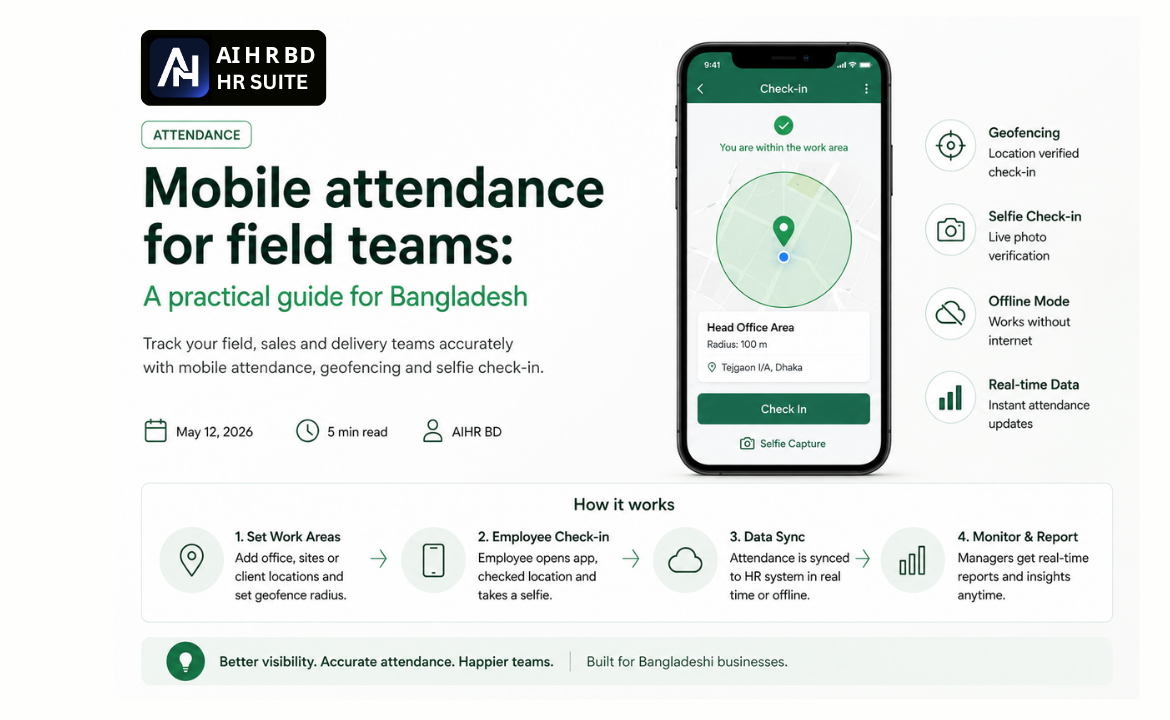
Field, sales, and delivery teams in Bangladesh operate outside traditional office boundaries, making conventional attendance systems impractical. Mobile attendance, powered by geofencing, offers a robust solution for tracking these dynamic workforces. This guide explores how to effectively implement mobile attendance to ensure accurate records and streamlined operations for your dispersed teams.
Key takeaways
- Mobile attendance with geofencing is ideal for field teams, sales reps, and delivery personnel who don't report to a fixed office.
- Geofencing verifies location by cross-referencing an employee's GPS coordinates with predefined work zones.
- Careful planning of work locations, attendance policies, and radius settings is crucial for success.
- Training and ongoing review ensure smooth adoption and address any issues promptly.
- Increased accuracy and cost-effectiveness compared to manual logs or widespread biometric device deployment.
The challenge of field team attendance
Traditional attendance methods, such as biometric devices like those from ZKTeco or Hikvision, are well-suited for office environments. However, for employees constantly on the move – be it sales representatives visiting clients, delivery riders making drops, or technicians performing on-site repairs – these systems are simply unsuitable. Relying on manual logs is prone to errors, time theft, and offers no real-time oversight. The need for a flexible, verifiable attendance solution for these critical teams is paramount for Bangladeshi businesses.
Geofencing: The core technology
Geofencing uses GPS technology to create a virtual perimeter around a real-world geographic area. When an employee checks in using their mobile device, the system verifies if their current GPS location falls within a predetermined geofenced zone. This allows businesses to confirm that their field personnel are at the correct job site, client location, or designated work area when they clock in or out.
Setting up mobile attendance with geofencing
Implementing a mobile attendance system with geofencing requires a structured approach to ensure accuracy and user adoption.
Step 1: Map your work locations
Start by identifying and mapping all relevant work locations. This includes:
- Company branches and regional offices
- Warehouses and distribution centers
- Regular client sites
- Common project or service areas
For each location, you'll draw a geofence using your HR software. This involves pinpointing the location on a map and defining a radius. A typical radius might range from 50 to 200 meters, depending on the environment and GPS accuracy in that area.
Step 2: Define your attendance policy
A clear attendance policy is vital. Consider the following:
- Strict geofence match: Will employees only be allowed to check in if they are inside the geofence? This is often suitable for fixed-site roles.
- Flexible check-in with notes: Will you allow check-ins from outside a geofence, but require a mandatory note explaining the location deviation? This can be useful for sales teams traveling between unplanned meetings.
- Grace periods: What are the rules for late arrivals or early departures?
Policy Tip: Many companies start with a strict geofence requirement for office-based staff and a more flexible approach for field sales or delivery teams, allowing them to log their location even if it's outside a primary geofence, provided they add a specific reason.
Step 3: Training and rollout
Successful adoption hinges on effective training.
- Manager training: Provide a 10-minute walkthrough for team managers, focusing on how the system works, common issues, and how to access attendance data.
- Employee training: Conduct brief (5-10 minute) training sessions for employees, demonstrating the check-in process on their mobile devices.
- Support channel: Set up a temporary support channel, like a dedicated WhatsApp group, for the first week or two to quickly address any user queries or technical issues.
Step 4: Monitor and review data
Regularly review attendance data to identify trends and address potential issues.
- Weekly checks: Look for patterns like repeated late check-ins, missing punches, or frequent check-ins from outside defined geofences.
- Coaching opportunities: Use this data for coaching and performance feedback rather than solely for punitive measures. Understanding why issues occur can lead to better solutions.
- System adjustments: Based on monitoring, you might need to adjust geofence radii or update policy guidelines.
Common pitfalls and solutions
Radius too tight
A common mistake is setting the geofence radius too small. GPS accuracy on mobile phones, particularly older or budget Android devices common in Bangladesh, can vary significantly, sometimes by 30 to 80 meters.
To avoid false rejections or employee frustration:
- Start generously: Begin with a radius of 100-150 meters.
- Adjust as needed: Only tighten the radius if you observe consistent abuse of the system.
- Consider GPS quality: Be mindful that indoor locations or areas with tall buildings can interfere with GPS signals.
Benefits for Bangladeshi businesses
Implementing mobile attendance with geofencing offers several compelling advantages:
| Feature | Manual/Biometric System | Mobile + Geofencing System |
|---|---|---|
| Accuracy | Prone to human error, buddy punching | GPS-verified, real-time |
| Cost | Biometric hardware, maintenance | Software subscription, employee's phone |
| Flexibility for Field Teams | Very Limited | High – works anywhere with signal |
| Real-time Data | Delayed aggregation | Instant and accessible |
| Compliance | Difficult to audit remote hours | Solid audit trail for Bangladesh Labour Act compliance |
Beyond operational efficiency, accurate attendance data is crucial for payroll processing, ensuring correct salary calculations. This directly impacts components like overtime, late deductions, and leave management, which are all typically reflected in a salary sheet format for Bangladesh used by employers.
By adopting mobile attendance with geofencing, businesses can achieve greater control over their distributed workforce, ensure fair pay, and streamline HR operations.
Related reading
Frequently asked questions
- How does geofencing attendance work for sales staff visiting clients across Dhaka?
- Geofencing attendance systems use GPS to create virtual boundaries around specific locations, like client offices or designated sales territories. When a sales staff member checks in via their mobile device, the system verifies if their current GPS location falls within the predefined geofenced zone. This ensures they are at the correct site when clocking in or out, providing real-time location verification for dispersed teams.
- What is a good starting geofence radius for a delivery team in Chattogram, considering varying GPS accuracy in Bangladesh?
- For delivery teams in Bangladesh, it is advisable to start with a generous geofence radius, typically between 100-150 metres. This accounts for potential GPS inaccuracies common with mobile devices, especially older or budget Android phones, which can vary by 30-80 metres. You can then adjust the radius more tightly if necessary after observing system usage and employee feedback.
- Can mobile attendance help prevent buddy punching for security guards at multiple sites in Bangladesh?
- Yes, mobile attendance with geofencing is highly effective in preventing buddy punching for security guards or other field staff at multiple locations. Unlike traditional manual logs or easily bypassed systems, geofencing requires the employee to be physically present within a defined perimeter at the time of check-in, making it difficult for colleagues to punch in for each other from a different location.
- What are the key steps to implement mobile attendance with geofencing for my field staff in Bangladesh?
- Implementing mobile attendance involves mapping all relevant work locations and drawing geofences around them, typically with a 100-150 metre radius. You must also define a clear attendance policy covering geofence strictness and grace periods. Finally, thorough training for both managers and employees, along with ongoing monitoring and review of attendance data, are crucial for successful adoption.